Why You Should Use a Password Manager Today
Why You Should Use a Password Manager Today
You’ve probably heard it a hundred times:
“Use strong passwords.”
“Don’t reuse passwords.”
“Update your passwords regularly.”
Cool. Now be honest: are you actually doing any of that?
If your answer is “sort of” or “not really,” you’re in the majority. And that’s exactly why password managers exist.
In this article, we’ll walk through why you should use a password manager today, in plain English, no scare tactics, no jargon. Just real reasons, real benefits, and how it actually makes your life easier.
The Big Problem: Your Brain Wasn’t Built for This
Let’s look at what “good” password behavior supposedly requires:
- A unique password for every account
- Each password should be long and random
- You should change them if there’s a breach
- You should never reuse the same password
Now think about how many accounts you have:
- Email(s)
- Banking
- Shopping sites
- Social media
- Streaming services
- Work accounts
- Random apps you signed up for once and forgot
Realistically, you may have dozens, maybe hundreds of logins.
Your brain cannot safely store and manage that many strong, unique passwords. So most people do one of these:
- Reuse passwords (“Same one for Netflix, Amazon, and email, it’s fine… right?”)
- Use weak passwords (“Summer2024!”)
- Use patterns (“Password1, Password2, Password3… nailed it”)
- Write them down (notes app, sticky notes, that old notebook)
All of these are understandable. They’re also exactly what hackers count on.
What A Password Manager Actually Does
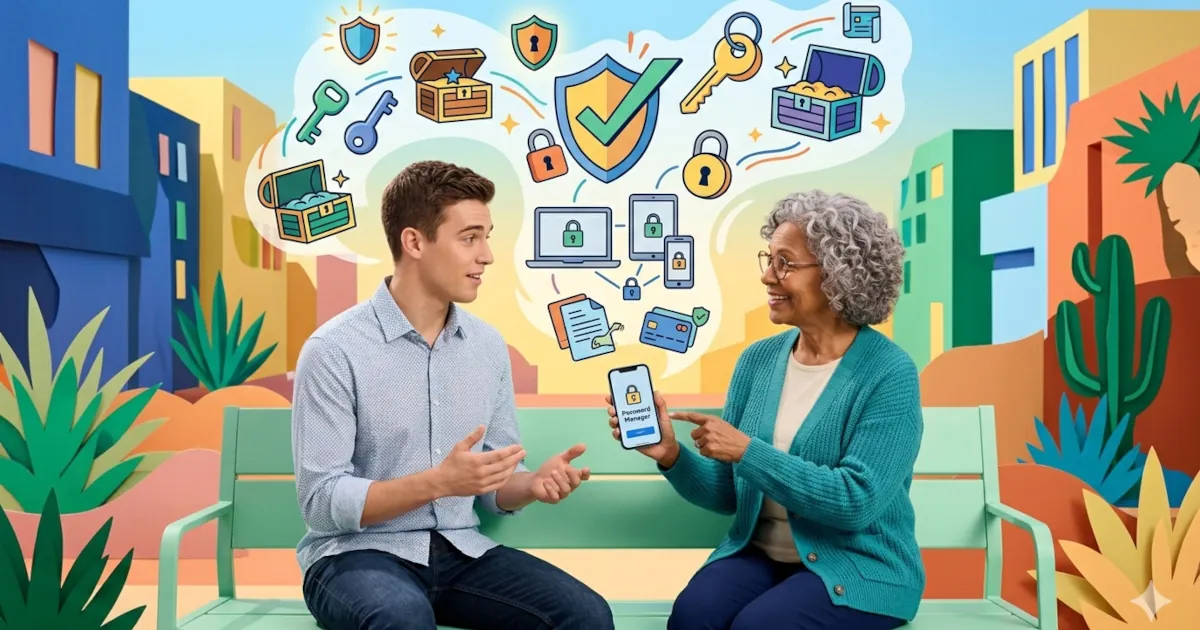
Think of a password manager as a secure, digital vault for all your logins.
You:
- Remember one strong password (called the master password)
- Unlock the password manager with that
- It stores, generates, and fills in all your other passwords for you
In practice, it does things like:
- Auto-fill your username and password on websites and apps
- Generate strong, random passwords that you don’t have to memorize
- Sync your passwords across your devices (phone, laptop, tablet)
- Warn you if a password is weak, reused, or involved in a data breach
So instead of trying to remember 100 passwords, you remember one, and let the manager do the rest.
Reason #1: You Stop Reusing the Same Password Everywhere
This is the big one.
Password reuse is like using the same key for your:
- House
- Car
- Office
- Gym locker
If someone copies that one key, they get everything.
Online, it works like this:
- One website you use gets hacked.
- Your email and password from that site get leaked.
- Attackers try that same combo on other major sites:
- Email accounts
- Social media
- Shopping sites
- Banking and PayPal
If you reused the same password, it’s basically a free buffet.
A password manager fixes this by making every password unique, without you having to think about it. If one site is hacked, that password is useless anywhere else.
Reason #2: Your Passwords Become Actually Strong
Be honest: “Clever” passwords like P@ssw0rd! or Summer2024! feel strong because they look complicated. But attackers know those tricks. They’re built into hacking tools.
A strong password should be:
- Long (ideally 16+ characters)
- Random
- Unique to each site
Examples of good passwords the manager might create:
yX4?cK!bRCp9$Z2nlPpV8sE*1#gar!K3
Are you going to remember those? No.
Do you need to? Also no.
Your password manager creates and stores these for every account. You never have to see most of them. You just:
- Click “generate strong password”
- Save
- Done
Reason #3: It Makes Logging In Faster, Not Slower
A lot of people think, “This sounds like extra steps.” It’s actually the opposite.
With a password manager:
- On your phone: it suggests logins right above your keyboard, just like suggested words
- On your computer: it auto-fills login forms in your browser
No more:
- Typing long passwords
- Trying to remember which “version” you used
- Resetting your password every time you’re locked out
You open an app or website, your manager fills it in, you’re in.
Security that makes life easier is security you’ll actually use.
Reason #4: You’ll Know When a Site Has Been Hacked
Even if you do everything right, websites still get hacked.
Many password managers include:
- Breach monitoring: They check your saved logins against known data breaches
- Alerts: “Hey, your password for this site was in a leak, change it now”
- Security reports: Lists of weak, reused, or old passwords
So instead of hearing “There was a data breach somewhere” and shrugging, you get:
- Specific site
- Specific account
- Suggested action
Much easier to act on, much safer overall.
Reason #5: It Protects You From Fake Websites
A common trick attackers use is phishing:
- They send you a fake email that looks like it’s from your bank, PayPal, or favorite store
- The link goes to a fake website that looks identical to the real one
- You enter your password there, and they steal it
Here’s where password managers help:
They usually auto-fill only on the real website, not the fake one.
Because they’re matching the exact website address, if you land on a clever lookalike, your manager won’t recognize it and won’t fill anything in.
That’s a huge red flag for you: “Why isn’t my password manager filling this in?”
Answer: Because this site isn’t what you think it is.
Reason #6: You Can Store More Than Just Passwords
Most password managers let you store:
- Credit card details
- Bank accounts (for reference, not direct access)
- Wi‑Fi passwords
- Software license keys
- Secure notes (passport numbers, insurance info, etc.)
- Two-factor backup codes
All encrypted, all locked behind your master password.
So instead of:
- Texting your Wi‑Fi password to everyone
- Digging through old emails for a license key
- Keeping sensitive notes in a plain text file
You keep it all in one secure place, accessible on your devices.
“But What If My Password Manager Gets Hacked?”
Good question, and an important one.
Reputable password managers use what’s called zero-knowledge encryption:
- Your data is encrypted on your device before it’s sent to their servers
- Your master password never leaves your device
- The company can’t see your passwords, even if they wanted to
Even in the rare cases where password manager companies have been breached, the stolen data has been encrypted gibberish without the master password.
That’s why two things are critical:
- Choose a strong master password
- Turn on two-factor authentication (2FA) for your password manager account
With those in place, the manager ends up being far safer than your current system of “I’ll just remember it” plus the same few passwords everywhere.
How To Start Using a Password Manager (In Simple Steps)
You don’t have to go from chaos to perfection in one day. Here’s a simple path:
Pick a reputable password manager
Examples: 1Password, Bitwarden, Dashlane, NordPass, or your browser’s built-in manager (with caution and 2FA turned on).Create a strong master password
- Long, memorable phrase is best:
- Example:
cooking.on.Sundays.with.chili
- Example:
- Don’t reuse a password from anywhere else.
- Long, memorable phrase is best:
Install it everywhere
- Phone app
- Browser extension (Chrome, Firefox, Safari, Edge)
- Tablet if you use one
Start with your most important accounts
- Banking / PayPal
- Cloud storage (Google Drive, iCloud, Dropbox, etc.)
- Main social media accounts
Let it gradually take over
- Each time you log in somewhere, save the password to the manager
- Update weak or reused passwords over time, not all at once
In a few weeks, you’ll notice you’re logging in faster and thinking about passwords a lot less.
The Real Reason People Use Password Managers
It’s not just “for security.” It’s because:
- They’re tired of resetting passwords
- They’re done reusing the same three passwords everywhere
- They like having less stress about what happens if a site gets hacked
- And honestly… it’s just more convenient
A password manager is one of those tools that feels like a hassle before you try it, and then becomes something you can’t imagine going without.
If you care about password security, cyber safety, or just want smarter online habits, this is one of the easiest upgrades you can make.